
Upload Data
End Day is the simple, streamlined process for completing your route and syncing all your day’s work to the server. This essential step ensures all your orders, invoices, and inventory changes are properly recorded and your device is ready for the next day.
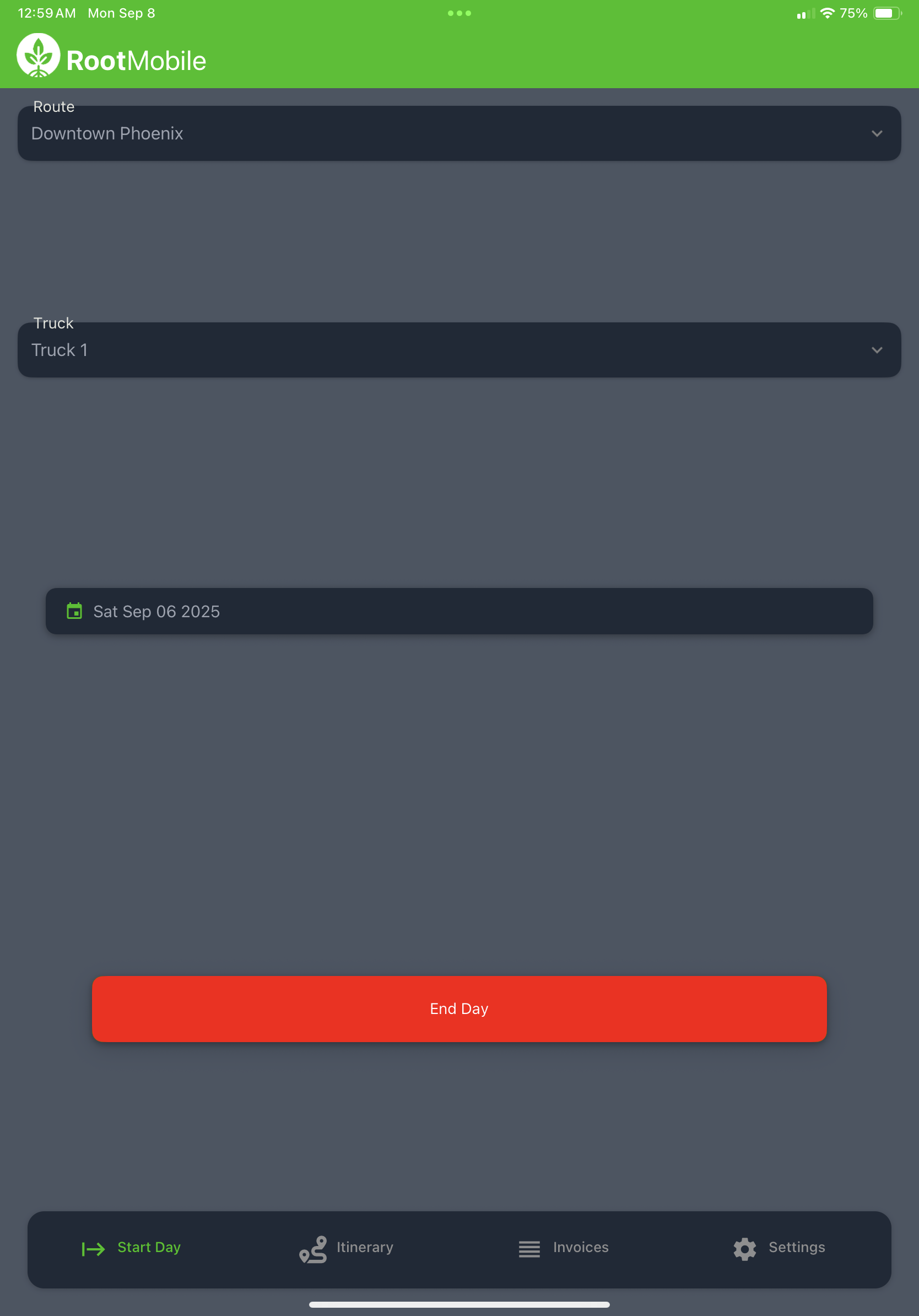
Accessing End Day
Section titled “Accessing End Day”The End Day process is easily accessible from the same screen where you began your route:
- Navigate to the Start Day screen
- Locate and select the “End Day” button
- Confirm that you’re ready to complete your route
What Data Gets Uploaded
Section titled “What Data Gets Uploaded”When you run End Day, the system automatically uploads all of your route data to the server in one comprehensive batch:
Order Information
Section titled “Order Information”- All orders created during your route
- Order modifications and updates
- Saved orders for future completion
- Quote information and pricing details
Invoice and Payment Data
Section titled “Invoice and Payment Data”- Completed invoices with customer signatures
- Payment information and receipts
- Cash, check, and credit card transactions
- Account billing and payment terms
Inventory Information
Section titled “Inventory Information”- Updated inventory levels after deliveries
- Product usage and consumption tracking
- Inventory adjustments and corrections
- Load request submissions
Route and Customer Data
Section titled “Route and Customer Data”- Completed stop information
- Customer interaction notes
- Route optimization data
- New customer information added during the route
The Upload Process
Section titled “The Upload Process”End Day is designed to be simple and efficient:
- Data Compilation: The system gathers all your route data
- Batch Upload: All information is sent to the server at once
- Verification: The system confirms successful data transfer
- Device Reset: Your device is prepared for the next route day
Clean Slate for Next Day
Section titled “Clean Slate for Next Day”After completing End Day, your device will have a clean slate and be ready for your next route:
- Cleared Route Data: Previous day’s route information is archived
- Reset Inventory: Inventory counts are synchronized with the server
- Fresh Start: Ready for new Start Day configuration
- Updated Information: Latest customer and product data from the Root Mobile web app
End Day Best Practices
Section titled “End Day Best Practices”- Complete all stops before running End Day
- Ensure stable internet connection for reliable data upload
- Review any pending orders or incomplete transactions
- Run End Day promptly at the conclusion of your route
- Verify upload completion before leaving your vehicle
Troubleshooting Upload Issues
Section titled “Troubleshooting Upload Issues”If you encounter issues during End Day:
- Check internet connectivity and move to an area with better signal if needed
- Retry the upload if the initial attempt fails
- Contact support if repeated upload attempts are unsuccessful
- Keep device powered until upload is confirmed complete