
Sign Up
Overview
Section titled “Overview”Signing up for Root Mobile is the first step to accessing our platform’s powerful order and invoice management features. This process allows businesses to create an account, set up their profile, and start managing their operations seamlessly.
Step-by-Step Instructions
Section titled “Step-by-Step Instructions”1. Go to the Sign-Up Page
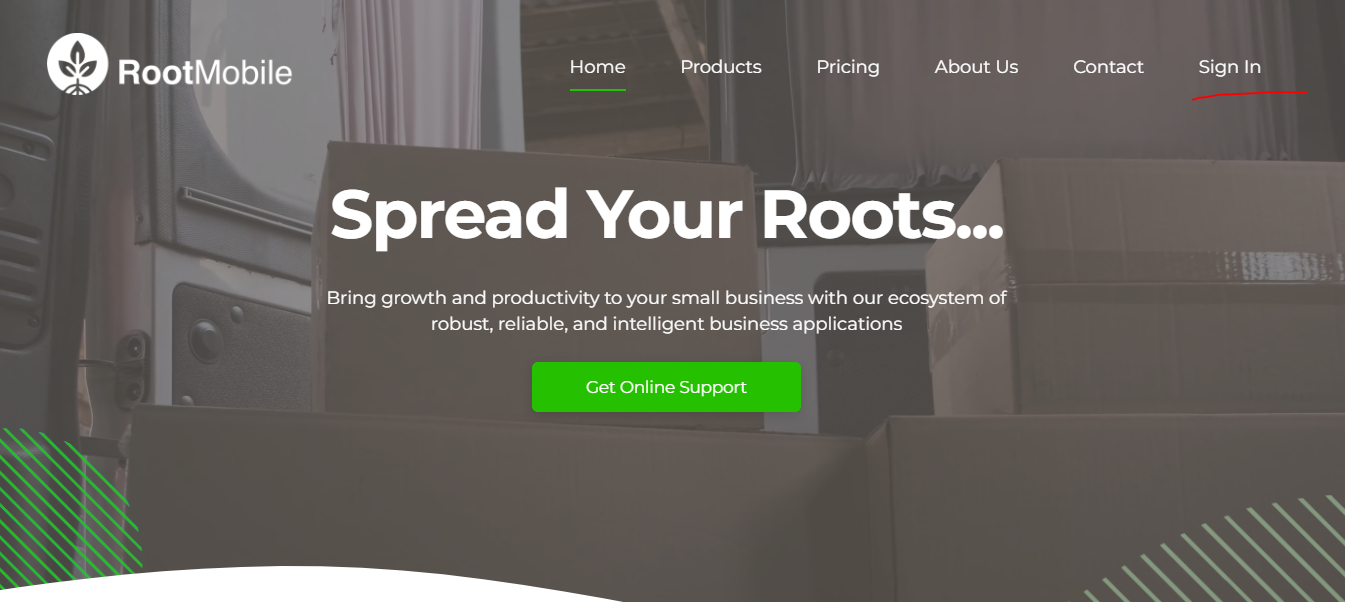
Section titled “1. Go to the Sign-Up Page”Visit rootmobile.net and click on the Sign In button.
2. Enter Your Business Details
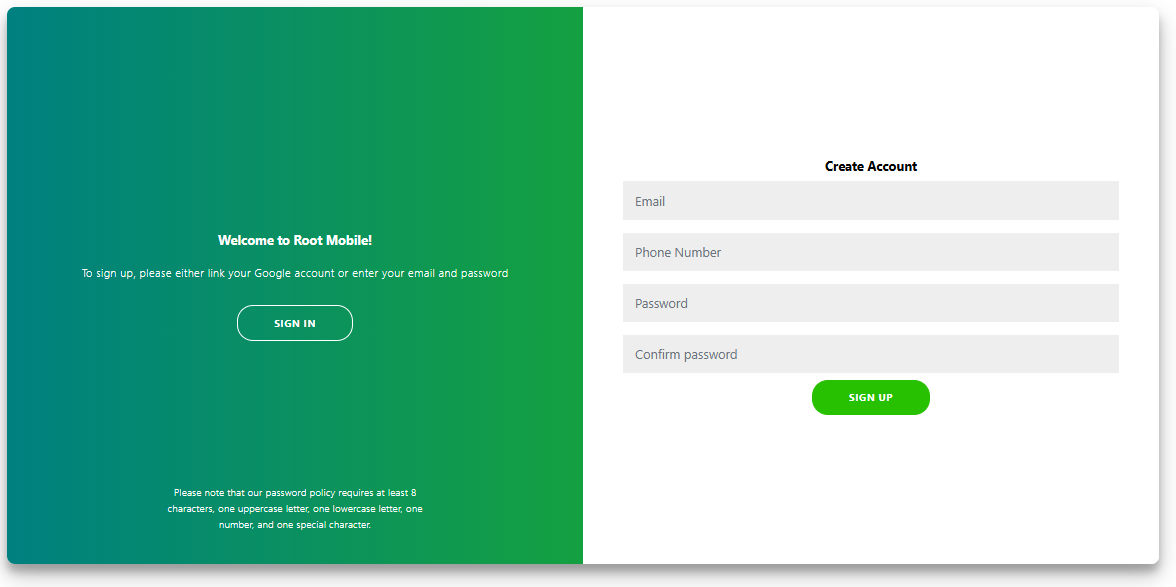
Section titled “2. Enter Your Business Details”Fill in the required fields such as:
- Business Name
- Email Address
- Contact Number
- Password (Ensure it meets security criteria)
3. Verify Your Email
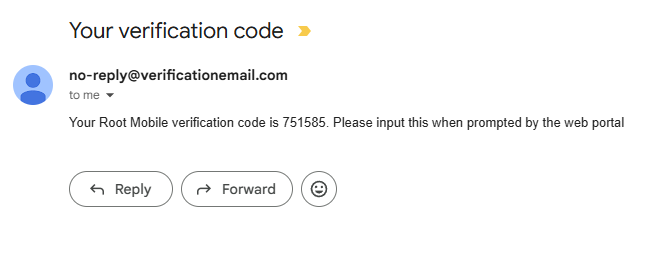
Section titled “3. Verify Your Email”Check your inbox for a verification email from Root Mobile.
Click the verification link to confirm your email address.
4. Complete Profile Setup
Section titled “4. Complete Profile Setup”-
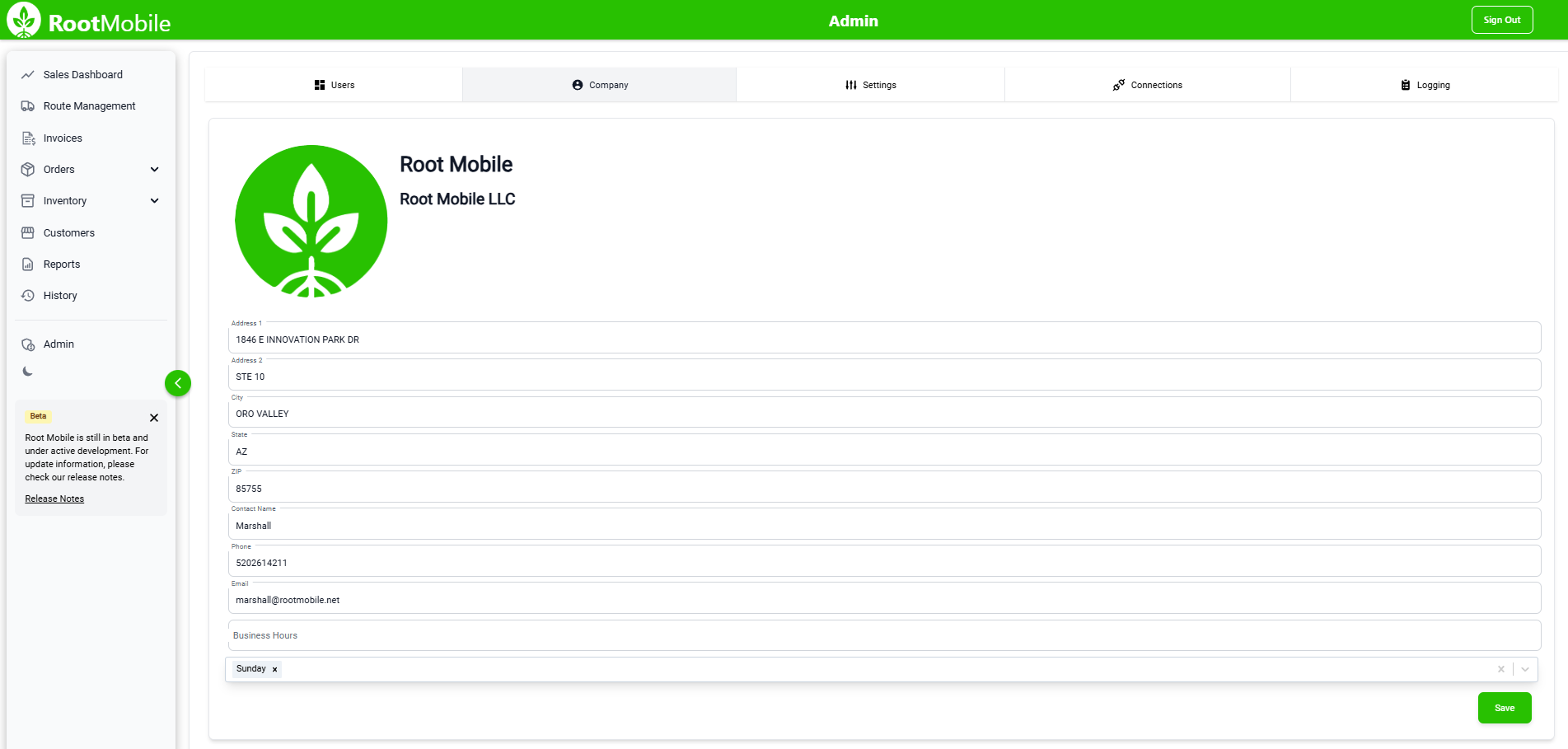
Log in using your verified credentials.
-
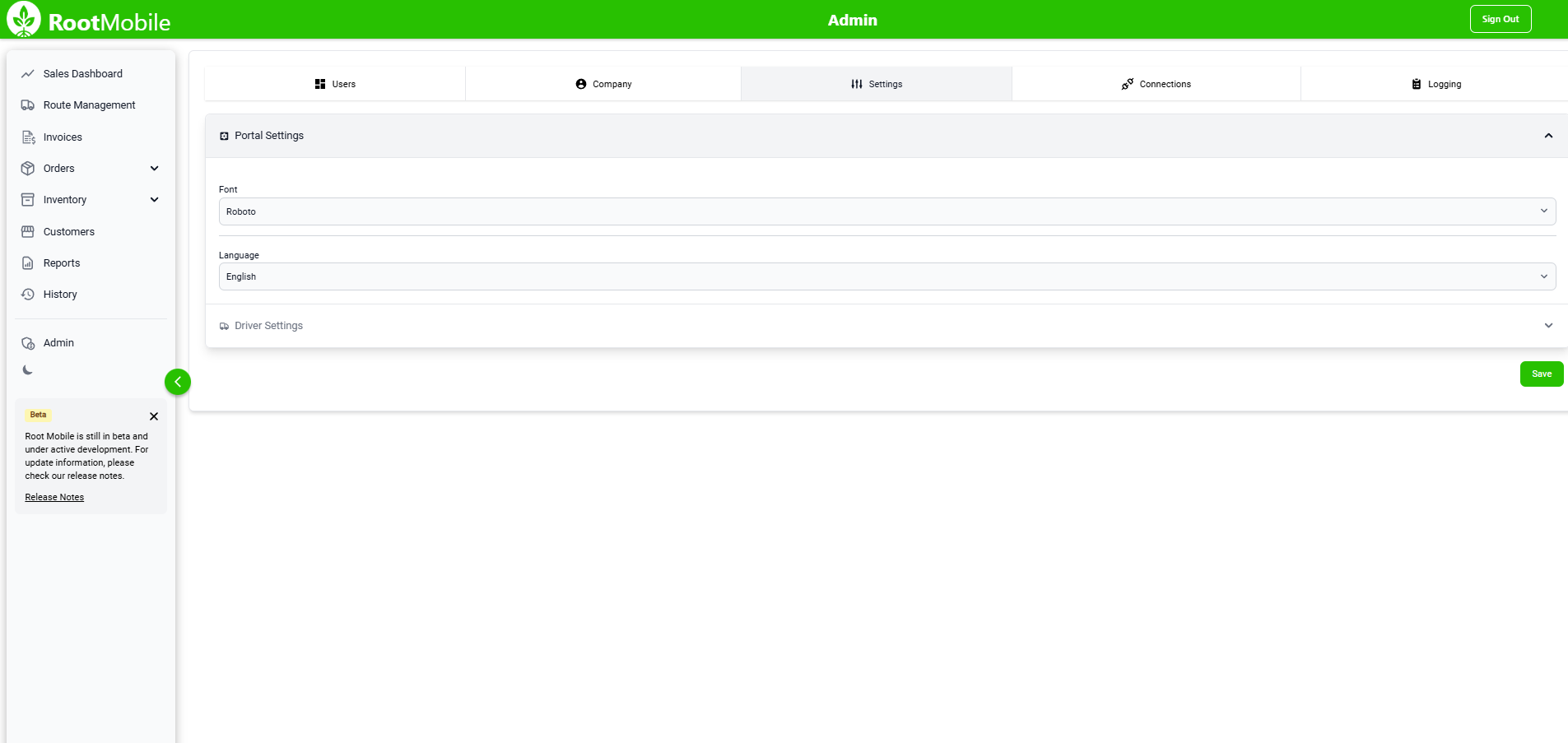
Click the Admin tab on the lefthand side.
-
Enter additional business details such as:
-
Company address
-
Invoice header information
-
Default Currency
5. Configure Initial Settings
Section titled “5. Configure Initial Settings”- Choose your industry type and preferred features.
- Set up basic sales tax preferences if applicable.
6. Invite Team Members (Optional)
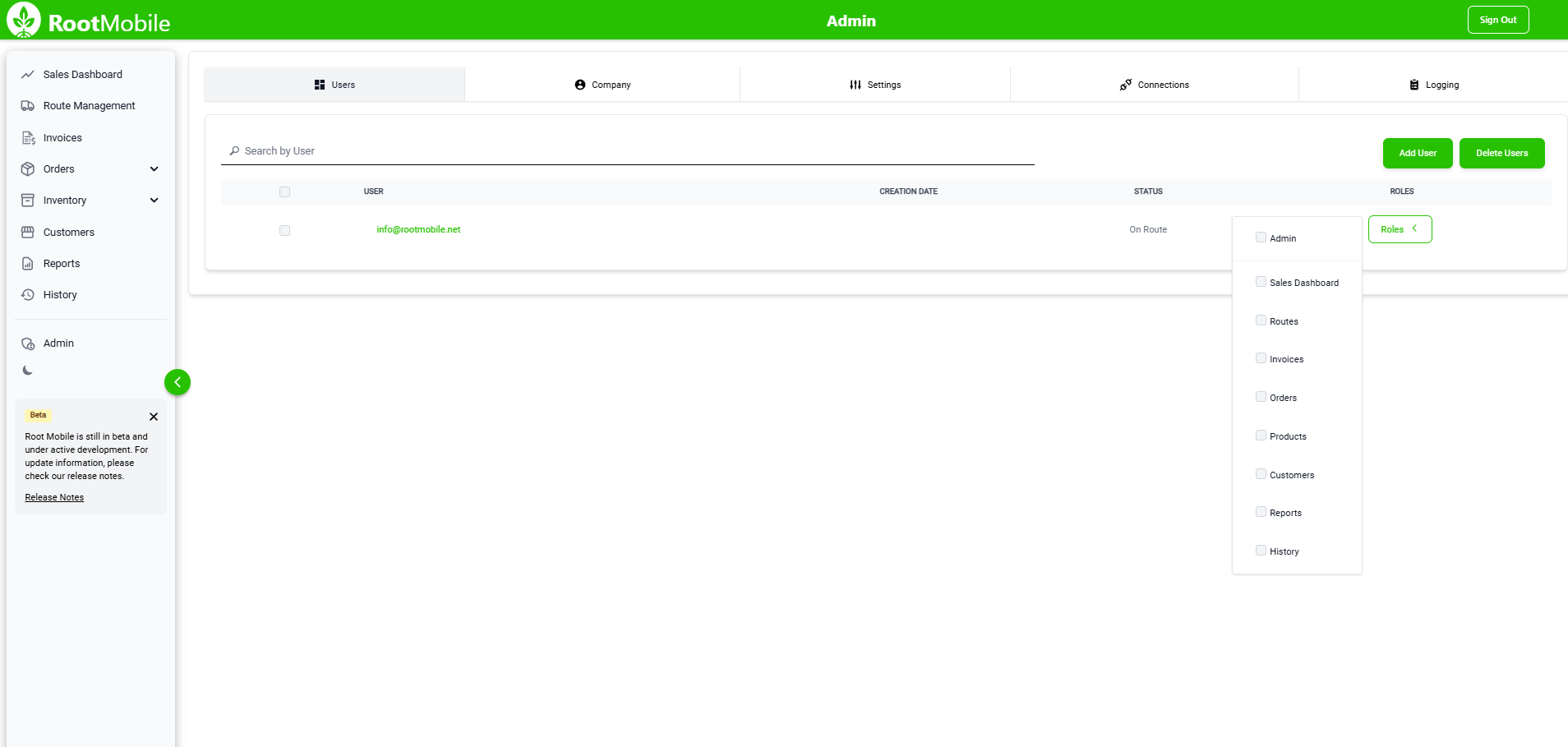
Section titled “6. Invite Team Members (Optional)”- Navigate to the Users tab to invite additional users.
- Assign roles based on business requirements.
7. Start Using Root Mobile
Section titled “7. Start Using Root Mobile”- Dive into your dashboard and unlock a world of possibilities!
- Effortlessly add customers, products, and orders to get your business rolling.
Pro Tips
Section titled “Pro Tips”- Use a strong, unique password to enhance account security.
- Double-check your email spam folder if you do not receive the verification email.
- Familiarize yourself with the dashboard tour to get started quickly.
Common Issues/Troubleshooting
Section titled “Common Issues/Troubleshooting”Problem: Didn’t receive a verification email.
Solution: Check spam/junk folders or click “Resend Email” on the sign-up page.
Problem: Error message when submitting the form.
Solution: Ensure all required fields are filled and meet input criteria.
Problem: Unable to log in after verification.
Solution: Reset your password using the “Forgot Password” option on the login page.